

RoundCube works out of the box and doesn’t need any configuring, however, there are a few configuration changes from the default setup we prefer to have. Please read all the guide before starting any work. Note that this is a guide and if you end up breaking something, you’re on your own!
Locating the correct directory
- cd ../
- cd /usr/share/psa-roundcube/config
Creating and editing the configuration file
- Since we’re using a brand new installation of Plesk we need to create the file config.local.php
- To create the file use the command touch config.local.php
- Open config.local.php using your favourite text editor (I like nano).
- If nano isn’t installed use the command sudo yum -y install nano
- To open the configuration file use the command nano config.local.php
- Here is a an example of the config file we use:
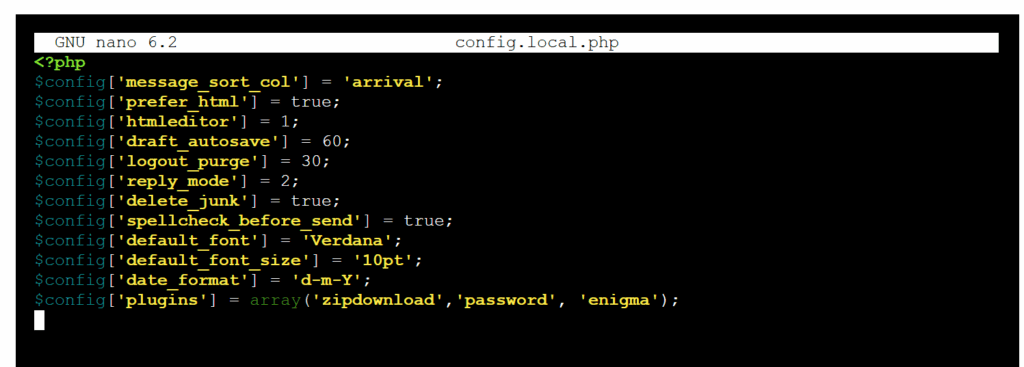
For a full list of possible configurations you can either inspect the example named defaults.inc.php or visit roundcubemail/config/config.inc.php.sample at master · roundcube/roundcubemail · GitHub
Don’t be tempted to edit config.inc.php to add configuration changes. Make sure you use config.local.php
If you’re using RoundCubePlus you’ll also need to add in the following:
- $config[‘license_key’] = ‘your-key’;
- Don’t forget to actually add in your key


